Blog
How to turn a podcast episode into short clips, step by step
By Lev PerlmanUpdated 4 min read
To turn a podcast episode into short clips, find the moments that make sense on their own, trim each one to a strong first line, cut the pauses, keep the person speaking on screen, add captions, and export in the shape each platform shows best. The hard part is the first step. The rest is careful, repetitive editing.
This guide walks through the whole workflow, whichever editor you use.
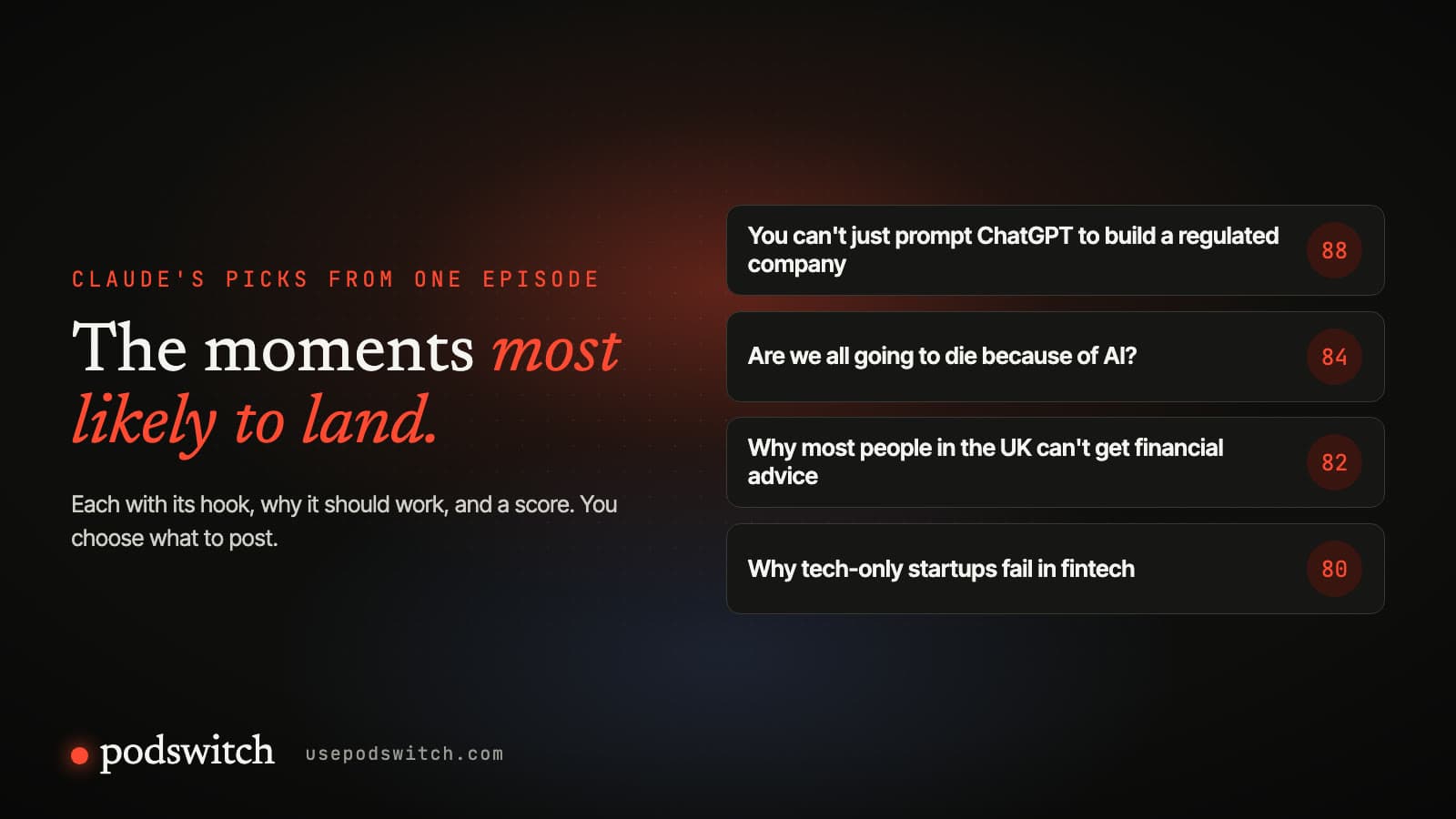
Step 1: Find the moments that stand on their own
A clip is seen by people who have not heard the episode. It has to make sense with no context and give them a reason to keep watching. Good candidates are:
- A clear answer to a question people ask. "Why can't most people in the UK get financial advice?" works because the viewer already wants to know.
- A strong opinion, said plainly. Disagreement and surprise hold attention.
- A short story with a turn. A setup, a problem and an unexpected outcome.
- A line people would quote. If you would repeat it to a friend, it is a candidate.
Skip moments that depend on something said earlier, inside jokes, and long build-ups to a small point.
The quickest way to find them is from a transcript. Read it with a highlighter rather than scrubbing through the video: you can scan an hour of conversation in a few minutes, and the strong lines are easier to see in text.
Step 2: Give each clip a structure
Most clips that hold attention follow the same shape: a hook, just enough context, one idea, and a payoff.
- 01
Hook
The line that makes someone stop scrolling
- 02
Context
Just enough to follow the idea
- 03
The idea
One point, said well
- 04
Payoff
The answer, the joke or the turn
Start on the hook. That is often the most interesting sentence in the moment, not the first thing the speaker said. If the speaker took twenty seconds to get to the point, start the clip at the point. End on the payoff: the answer, the joke or the turn. Cut whatever comes after it.
Step 3: Cut the pauses and the filler
In a conversation, people pause, restart sentences and say "so, um, basically". In the full episode that sounds natural. In a 30-second clip it costs you viewers. Remove:
- silences between sentences;
- false starts and repeated words, where you can cut cleanly;
- long breaths before the main point.
Do not cut so tightly that the speaker sounds robotic. Leave a short breath where a sentence ends.
Step 4: Keep the right person on screen
Show the person speaking. In a two-person conversation, a short shot of the listener reacting (a laugh, a nod, a surprised face) makes the clip feel like a conversation and gives the eye something new. Keep reaction shots short and occasional, so the speaker stays the focus.
If you recorded one camera per person, this is ordinary multicam editing: switch angles as the conversation moves. If you only have a wide shot, crop in on the speaker for each line.
Step 5: Frame it for the shape
Vertical 9:16 is the default for Reels, TikTok and YouTube Shorts. Square works in feeds, and landscape suits YouTube, LinkedIn and websites. Most podcast cameras record landscape, so a vertical clip is a crop: frame each person so their face sits in the upper half of the vertical frame, with room for captions below.
Vertical
1080 × 1920
Reels, TikTok, Shorts
Square
1080 × 1080
Feeds
Landscape
1920 × 1080
YouTube, LinkedIn, websites
Our guide to aspect ratios and lengths for podcast clips covers each platform's current specifications.
Step 6: Add captions
Captions keep viewers who watch with the sound off (in one 2019 US survey, 69% said they watch with the sound off in public),1 help viewers who are deaf or hard of hearing, and make the hook readable before anyone decides to turn the sound up. Keep them to a few words at a time, timed to the speech, in a clean, bold font, and away from the edges where the app puts its buttons.
Our captions guide shows how to import and style captions in Final Cut Pro, Premiere Pro and DaVinci Resolve.
Step 7: Export and post
Export at the platform's recommended size, check the clip on a phone before posting, and write a first line for the post text that adds to the hook rather than repeating it. Post consistently and watch which clips people finish and share; that tells you more about your audience than any rule.
How long does this take by hand?
The editing steps are mechanical, but they add up: finding moments in an hour of conversation, cutting each clip, switching cameras, framing three shapes and timing captions. This is the work podswitch automates. It reads the transcript, suggests the moments with the reason for each, and builds every clip with the pauses cut, the camera following the speaker and captions timed to the words. You check each one and finish it in your own editor.
Sources
-
Verizon Media and Publicis Media survey of 5,616 US adults, April 2019, as reported by Streaming Media, 20 May 2019. A marketing-commissioned study. https://www.streamingmedia.com/Articles/News/Online-Video-News/80-of-Video-Caption-Users-Arent-Hearing-Impaired-Finds-Verizon-131860.aspx ↩
Common questions
How many clips should I make from one episode?
Enough to post on the days you plan to post until the next episode, and no more than the episode can support. A one-hour conversation usually has several moments that stand on their own; a short, dense episode may have two. Quality matters more than count, because a weak clip teaches viewers to scroll past you.
How long should a podcast clip be?
As long as the moment needs and no longer. Many clips work at 20 to 45 seconds; a story with a strong payoff can hold for 60 to 90. Check each platform's current limits before you publish, because they change.
Should every clip have captions?
Yes. Many people watch with the sound off, and captions also help viewers who are deaf or hard of hearing and anyone watching in a noisy place. Keep them short, timed to the words and clear of the app's buttons.
Can I make clips from an audio-only podcast?
Yes, with a still image, an audiogram or a waveform, but video of the people talking usually holds attention better. If you record video, film each speaker so you can cut between them.