For video editors
Your editor, your craft. None of the angle switching.
podswitch cuts the multicam from each speaker’s microphone and hands it to Final Cut Pro, Premiere Pro or DaVinci Resolve with every decision editable. No re-uploading a client’s 4K to a browser tool, no lock-in, no rendered file you cannot change. You keep the pacing, the story and the polish, and the hours you get back are yours to sell.
Time is what you sell
Take on more shows
The angle switching is the slowest, least creative part of a podcast edit. podswitch does it from the microphones, so each episode starts at the fine cut and you have room for more clients at the same rate.
Sell a social kit with every episode
Clips picked from the episode, pauses cut, camera on the speaker, captions in the client’s style, in vertical, square and landscape, plus the transcript. Most clients need them; now each one is a check-and-polish job, not a re-edit.
Already sell clips? Do them faster
Keep your price. Start from podswitch’s suggestions, each with its hook and a score, as projects in your own editor, and spend your time on the ones worth posting.
What social kits could add
Put in your own numbers. The clip price starts at what UK studios publish for social clips today.
Social kits
£600
a month
Social kits a year
£7,200
before costs
Revenue, not profit: it is what clients would pay at these prices, before your time and costs. The price ranges are what UK studios publish (sources below the calculator). Volume and take-up are examples for you to change. podswitch does the angle switching, the clean mix and the first version of each clip; checking and finishing them is still your work.
What UK studios charge for social clips
- Outset Studio: Social clip, from £30 each
- Joycast: Short-form clip, £35 each (£65 advanced)
- Cheshire Podcast Studio: Hand-cut short, £39 each
- LUXE VENUE: Five 60-second vertical cuts, £180
From each studio’s own price page, checked on 11 October 2026.
Why not just use a browser tool?

No video upload
No re-uploading client footage
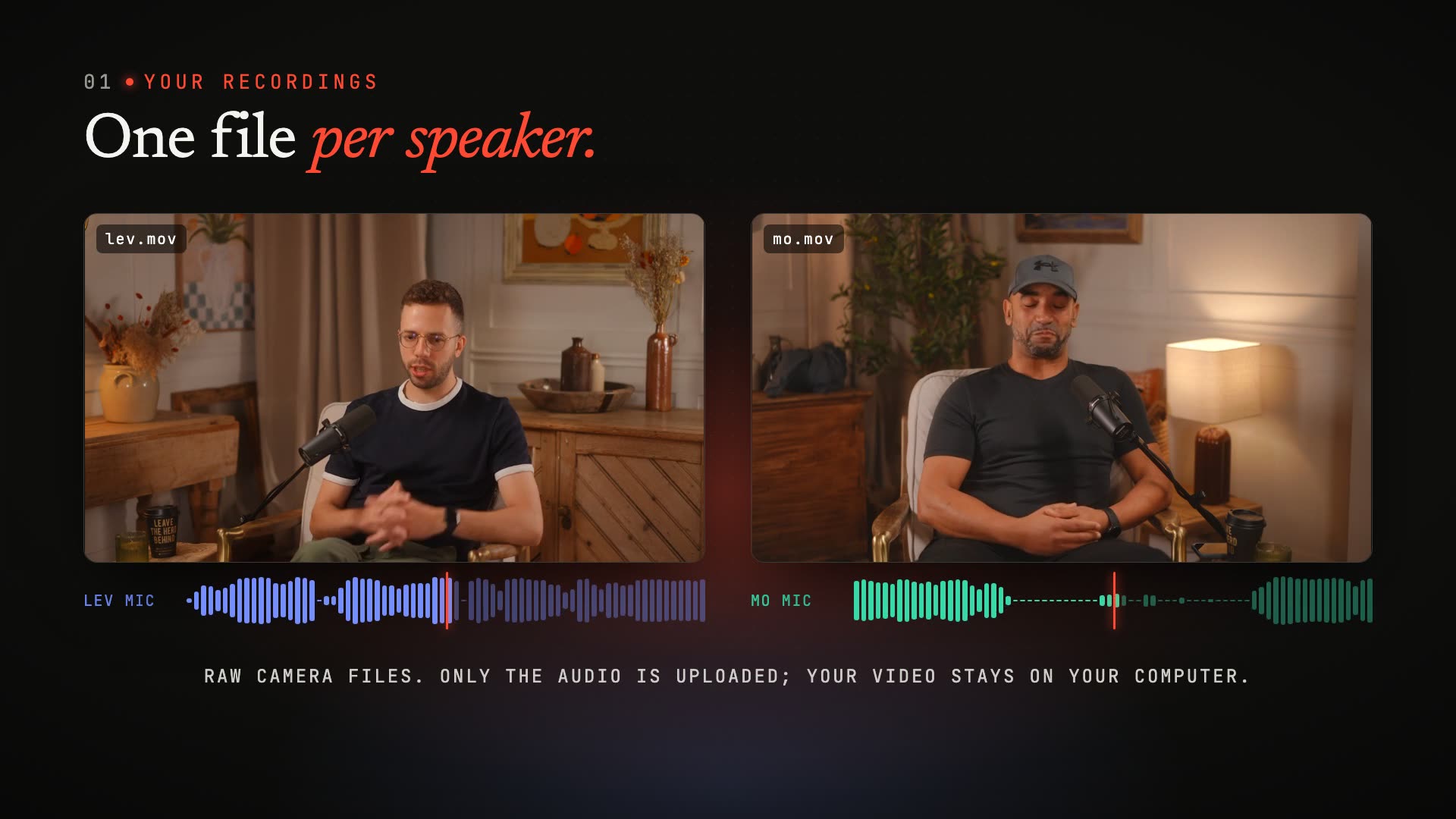
Browser tools need the video itself, so you wait for gigabytes to upload and your client’s footage sits in another company’s cloud. podswitch extracts the audio on your machine and uploads only that.
Measured on our own 2-hour, 2-camera 4K episode: 72.4 GB of video, 349 MB uploaded (207 times less).
Your editor
The edit lands in your timeline
Not a browser editor and not a rendered file: a real Final Cut Pro multicam clip, or a Premiere Pro or Resolve timeline with a track per camera. Your effects, grades, templates and shortcuts stay where they are.
Mac or Windows. Nothing to install.
The first pass, done
No more switching angles by hand
podswitch syncs every camera by sound, works out who is talking on each mic and makes every cut: the speaker, a listener’s reaction on long answers, the wide when people talk over each other. You start at the fine cut, with a dialogue mix that has the bleed between mics removed.
Pacing presets set how often it switches; change any decision before or after download.
Social kit
Clips, captions and a transcript from every episode
On paid plans podswitch picks the moments most likely to work as short clips, cuts the pauses, follows the speaker and adds captions in your style, in vertical, square and landscape. They open as projects in your editor, with the transcript as TXT, SRT or WebVTT.
Clips open as projects in your editor, with captions you can still edit, plus SRT.
About 8 h 45 min to upload at the UK median upload speed
About 3 min: 207 times less
What lands in your editor
Final Cut Pro
An FCPXML that imports as a real multicam clip with every angle, plus an audio-only angle with the dialogue mix, and a timeline that is already cut. Change any switch in the Angle Viewer.
Premiere Pro
A pre-cut timeline with each camera on its own track and the mix on the first audio track, on a Mac or on Windows.
DaVinci Resolve
The same pre-cut timeline, imported with File, Import, Timeline, with each camera on its own track.
Plus a dialogue mix with the bleed between mics removed (AAC, or 24-bit WAV if you want lossless), a CSV cut list, and a preview in the browser played from your own files. Recordings are processed only to make your edit, deleted automatically when your plan’s retention period ends, and never used to train models, on any plan. Built by Metamindz, a UK company, under UK GDPR.
How it compares
| Feature | podswitch | AutoPod | Descript | Riverside | Opus Clip | CastCut |
|---|---|---|---|---|---|---|
| Video stays on your computer | Yes. Only the audio is uploaded | Not stated. Not stated on their website | Partly. The desktop app also uploads files to Descript’s cloud | No. Recordings and uploads go to Riverside’s cloud | No. Videos are uploaded for processing | Yes. Runs offline on your Mac |
| Final Cut Pro timeline | Yes. A multicam clip and a pre-cut timeline | No. Not available for Final Cut Pro | Partly. Timeline export on Creator plans and above; the multicam is not exported | Partly. XML export on the Business plan | Not stated. Not stated on their website | Yes. Final Cut Pro 10.6 or later |
| Premiere Pro timeline | Yes. Cut timeline, one track per camera | Yes. Edits inside Premiere Pro | Partly. Timeline export on Creator plans and above; the multicam is not exported | Partly. XML export on the Business plan | Partly. XML of clips on the Pro plan | Partly. In beta |
| DaVinci Resolve timeline | Yes. Cut timeline, one track per camera | Partly. Resolve Studio; the free Resolve only up to 19.0.3 | Partly. Timeline export on Creator plans and above; the multicam is not exported | Not stated. Not stated on their website | Partly. XML of clips on the Pro plan | Partly. In beta |
| Clips as editable timelines in your editor | Yes. Final Cut Pro, Premiere Pro and DaVinci Resolve | Yes. Premiere Pro sequences | Not stated. Not stated on their website | Not stated. Not stated on their website | Partly. Premiere Pro and Resolve XML on Pro; captions not editable in Premiere | Not stated. Not stated on their website |
| Your recordings are never used to train AI | Yes. Never, on any plan | Not stated. Not stated on their website | Partly. Its terms allow training on your inputs unless you opt out | Yes. Says it does not use your content | No. For individual users, data may be used to improve its AI models | Yes. Works offline |
✓ yes · ◐ partly or on some plans · ✕ no · ? not stated on their website. Checked on 11 October 2026 from each company’s own website; full comparison and sources.
Editor partners
Work with us
We are setting up partnerships with editors one by one. Tell us how you work and we will reply by email.
For editors with clients
Free pilot projects on real episodes, then a plan that fits the number of shows you cut each month.
For editors with an audience
If you teach editing on YouTube, in a course or a newsletter, we would like to talk about a referral link with a commission. Partners label referral links clearly, as UK advertising rules require.
For post-production teams
Several editors, several shows: tell us how your team works and we will set it up with you.
Editor questions
Does my client need to upload their video?
No. The browser extracts the audio from each video file on the computer it runs on, and only the audio is uploaded. Run podswitch on the machine that holds the footage, and nothing else moves.
Can I change the cuts podswitch made?
Yes. In Final Cut Pro every switch is a multicam angle you can change in the Angle Viewer. In Premiere Pro and DaVinci Resolve each camera is on its own track. Before downloading, you can also rename speakers, choose another pacing preset or change which mic belongs to which camera, and podswitch re-runs only the steps affected.
Can I charge my clients for work podswitch helped with?
Yes. Under our terms the outputs belong to you, or to whoever you received the recordings from, and you may use the files podswitch produces in any way you like.
What does the recording need?
One microphone per speaker on its own track or file. Cameras can record their own audio or not, and extra cameras with no mic, such as a wide shot, can be added as angles.
Is After Effects or Avid supported?
No. podswitch supports Final Cut Pro, Adobe Premiere Pro and DaVinci Resolve.